[DMA]Catbox盒子安裝教學
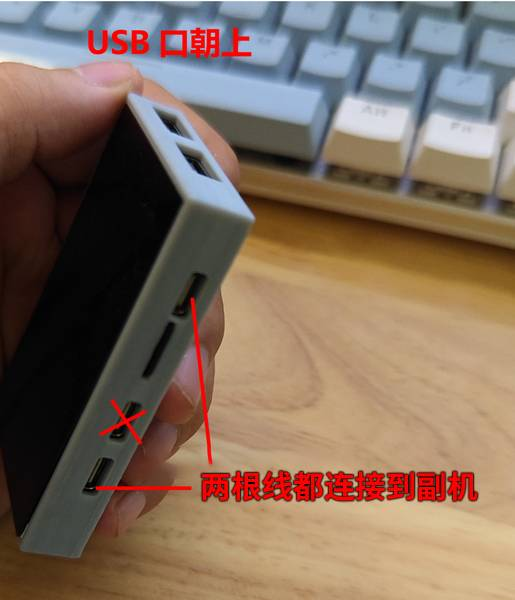
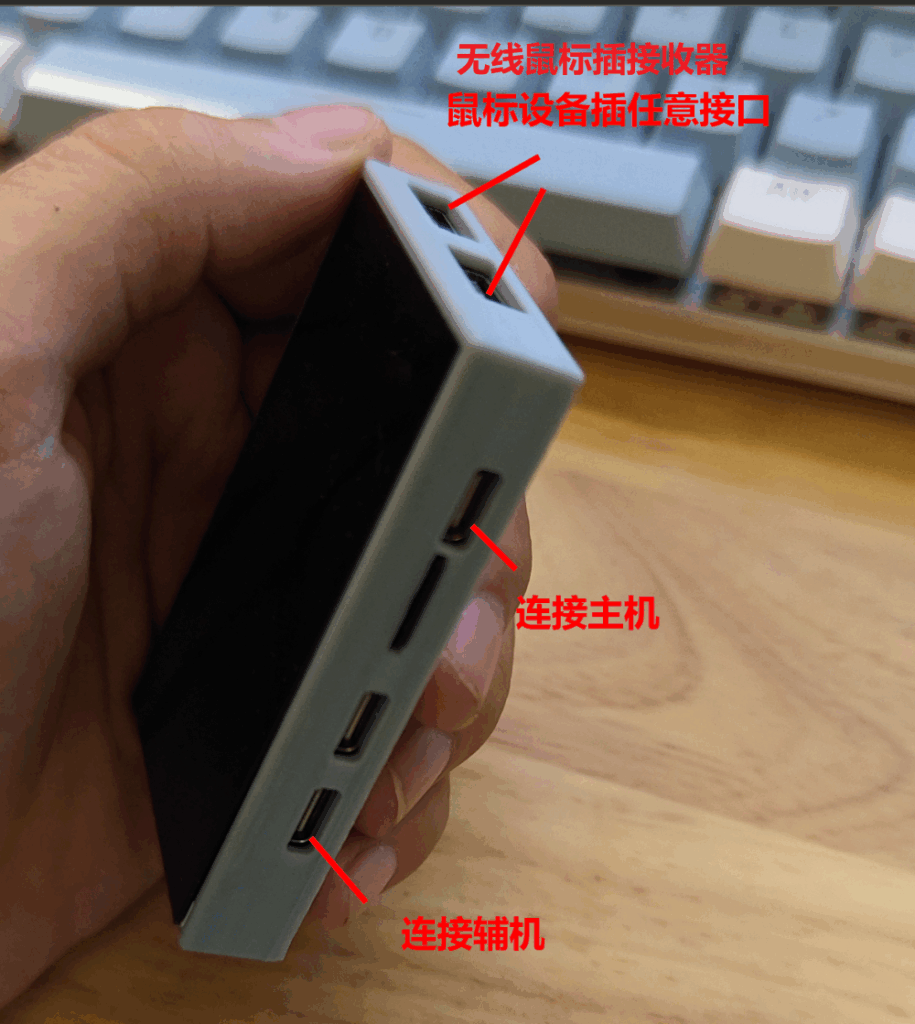
1.按照下圖接線
![[DMA]Catbox盒子安裝教學 1 image](https://letcheat.net/wp-content/uploads/2025/11/image.png)
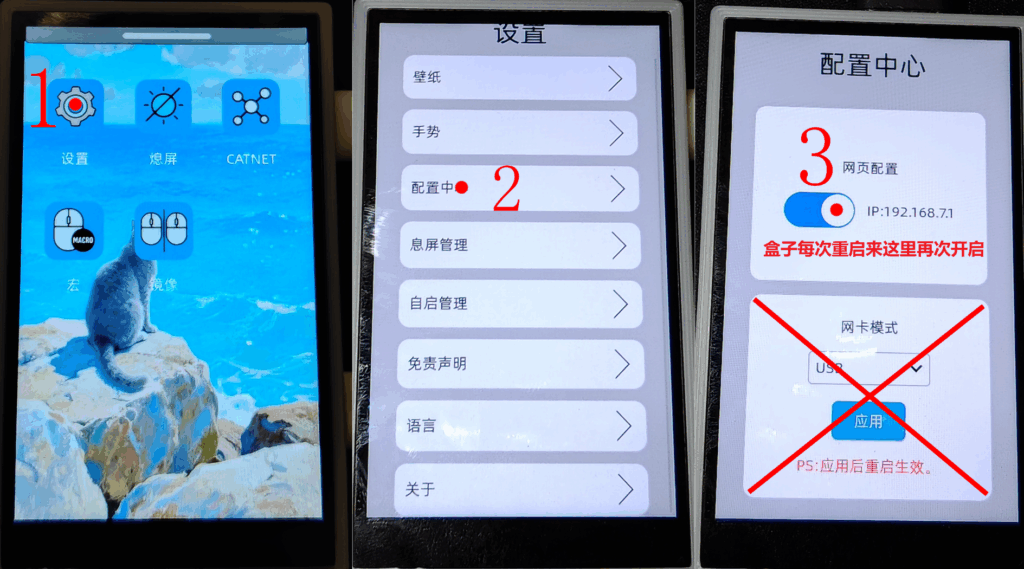
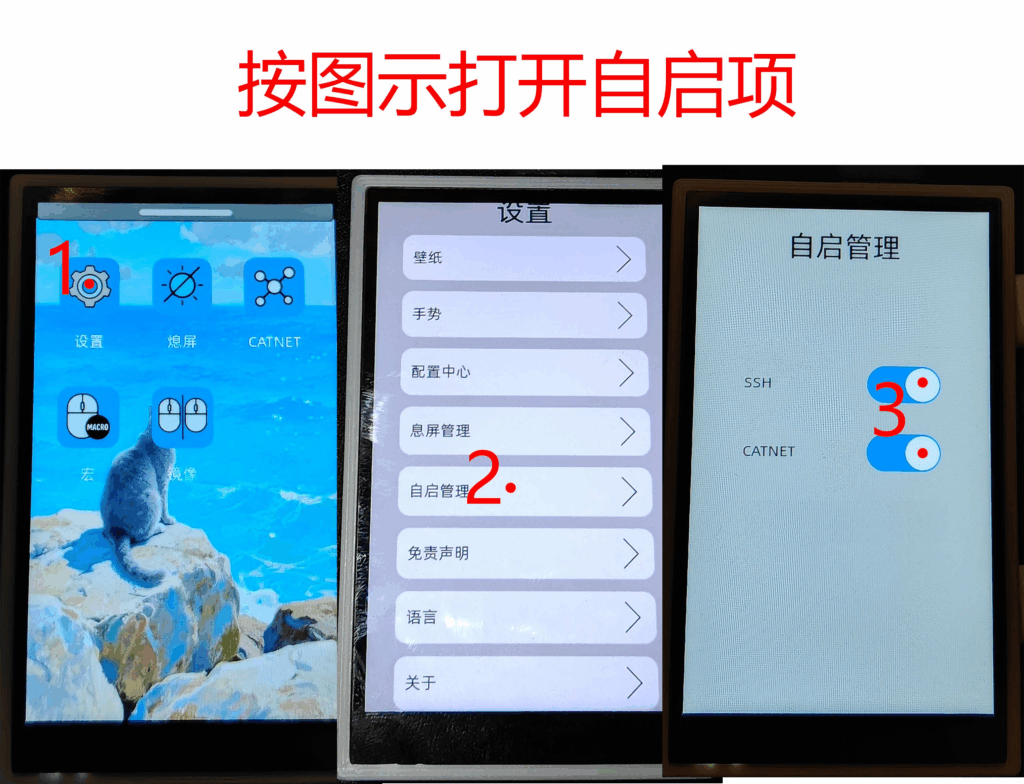
2.開啟盒子網路配置中心 (打X部分請勿觸碰)
![[DMA]Catbox盒子安裝教學 2 image 1](https://letcheat.net/wp-content/uploads/2025/11/image-1-1024x569.png)
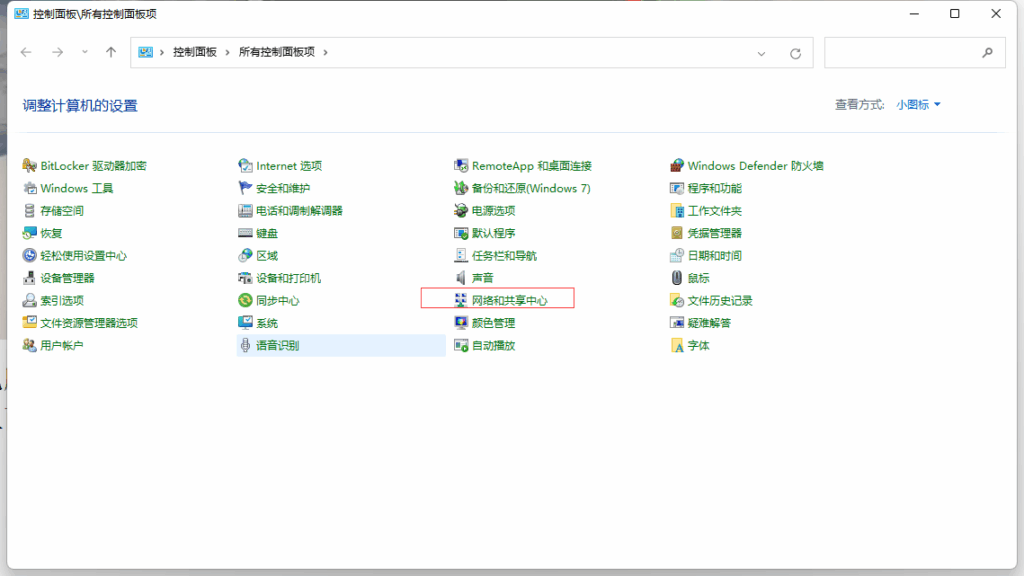
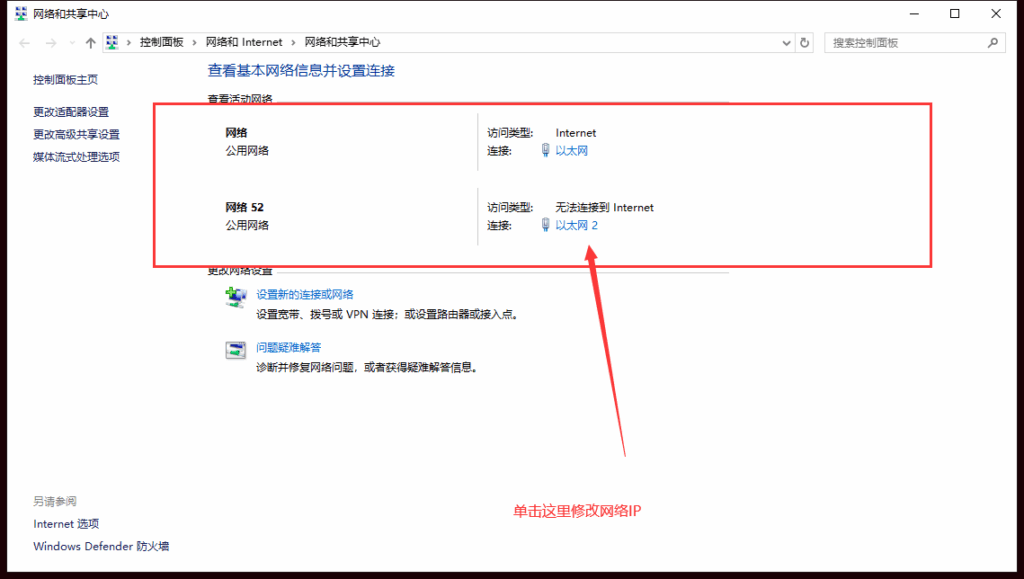
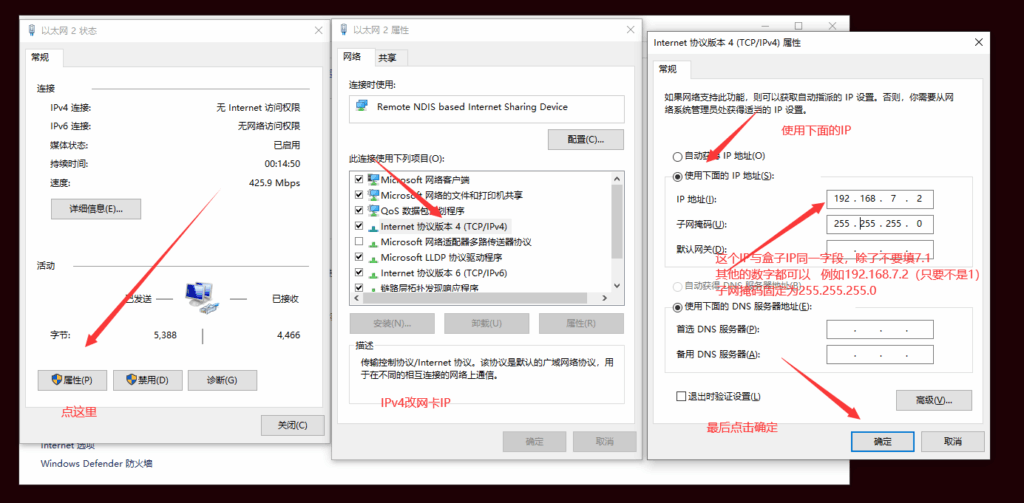
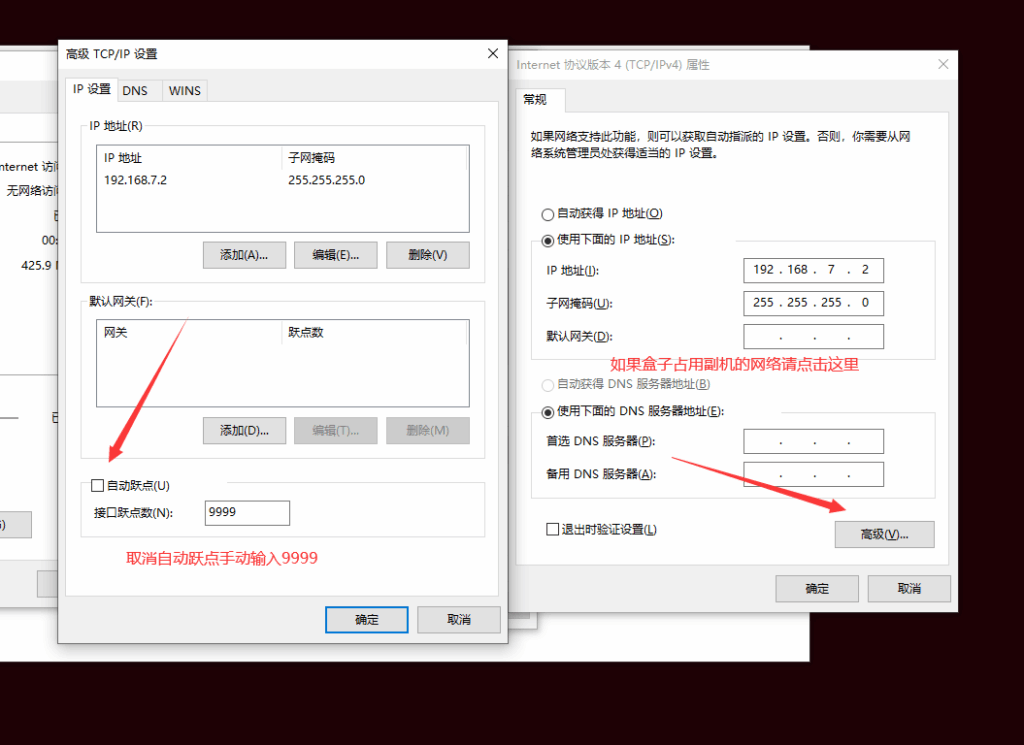
3.副機開啟網路共和中心
![[DMA]Catbox盒子安裝教學 3 image 6](https://letcheat.net/wp-content/uploads/2025/11/image-6-1024x576.png)
![[DMA]Catbox盒子安裝教學 4 image 7](https://letcheat.net/wp-content/uploads/2025/11/image-7-1024x579.png)
![[DMA]Catbox盒子安裝教學 5 image 8](https://letcheat.net/wp-content/uploads/2025/11/image-8-1024x503.png)
![[DMA]Catbox盒子安裝教學 6 image 9](https://letcheat.net/wp-content/uploads/2025/11/image-9-1024x745.png)
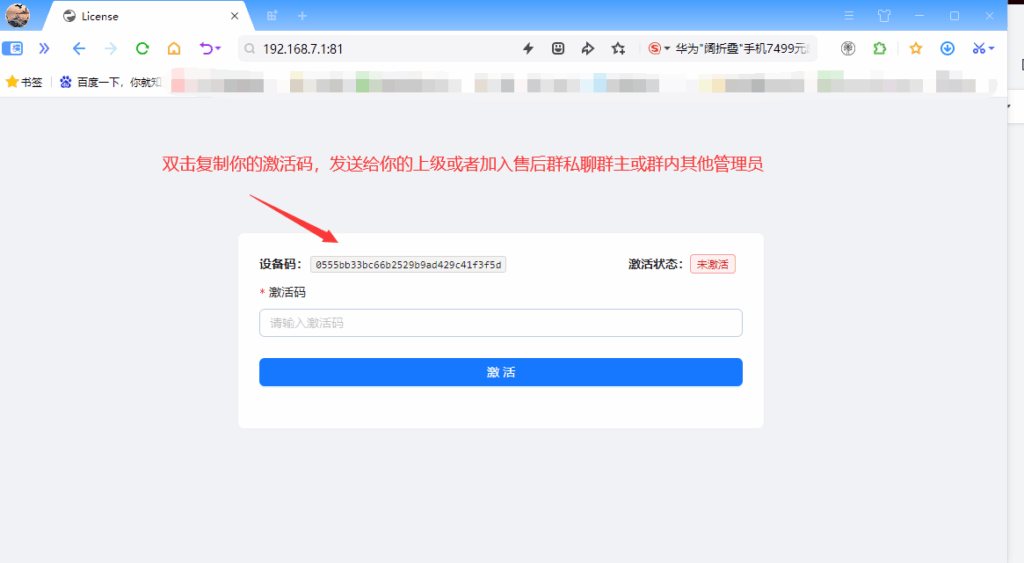
4.副機開啟瀏覽器輸入CATBOX顯示的IP地址
![[DMA]Catbox盒子安裝教學 7 image 10](https://letcheat.net/wp-content/uploads/2025/11/image-10-1024x563.png)
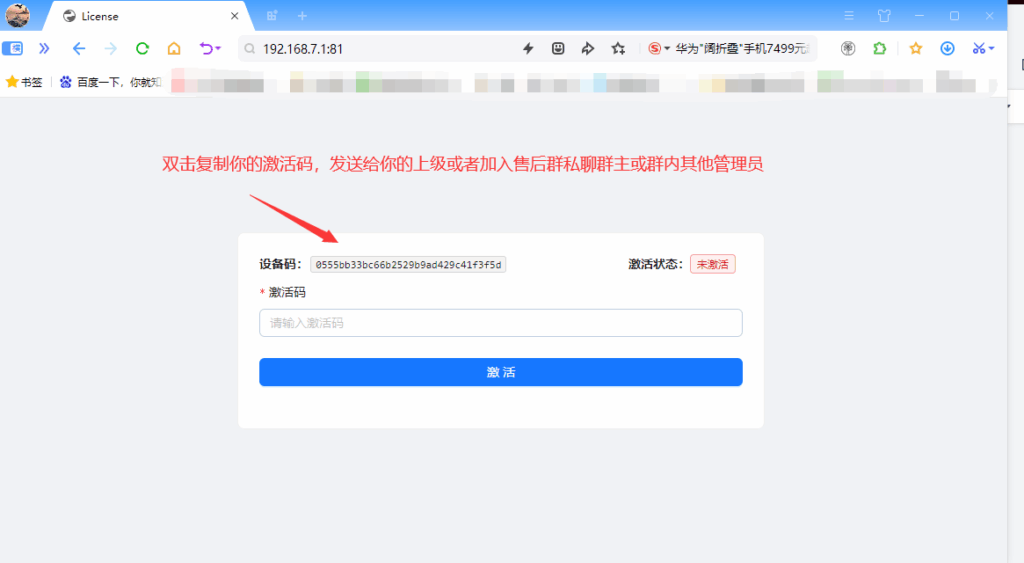
機活設備(找DISCORD客服單領取機活代碼)
![[DMA]Catbox盒子安裝教學 8 image 11](https://letcheat.net/wp-content/uploads/2025/11/image-11-1024x563.png)
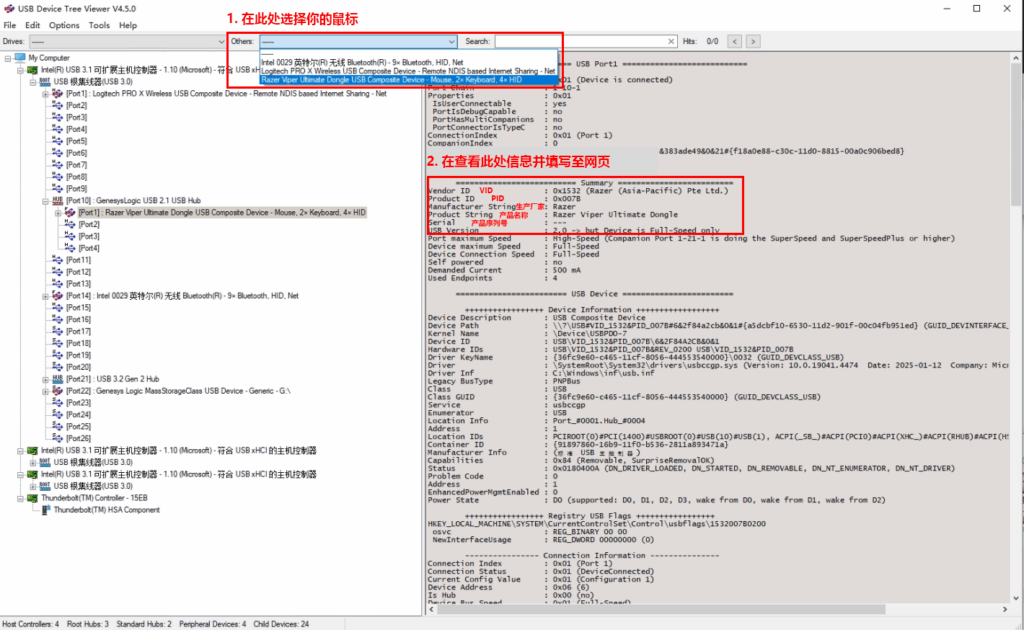
5.主機的滑鼠拔下插入副機上執行USBTreeView擷取滑鼠資訊
![[DMA]Catbox盒子安裝教學 9 image 12](https://letcheat.net/wp-content/uploads/2025/11/image-12-1024x630.png)
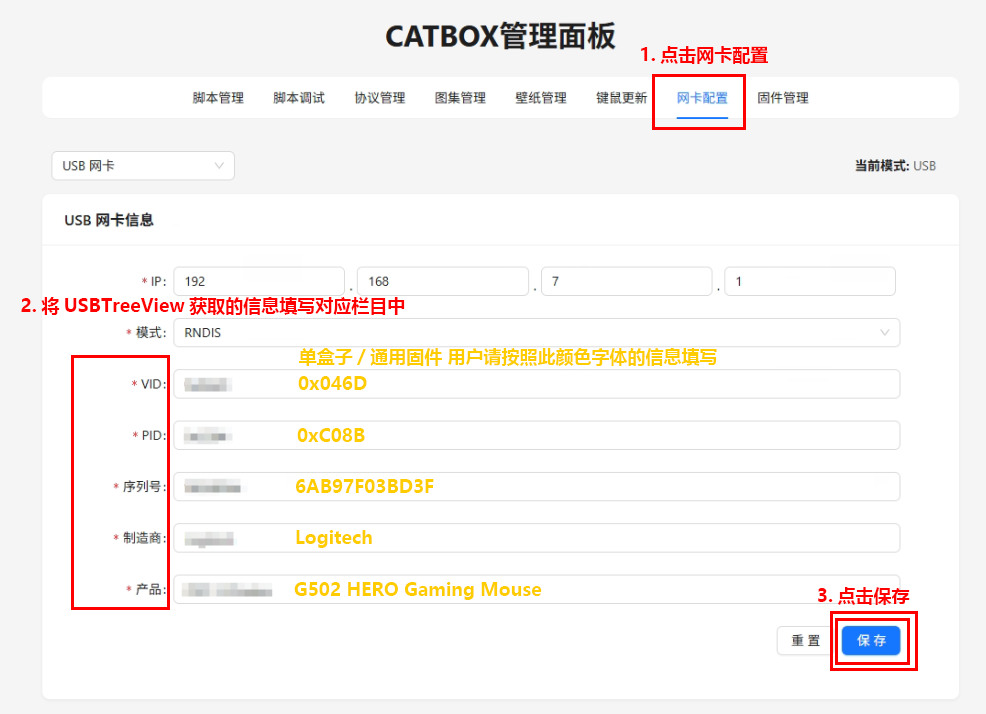
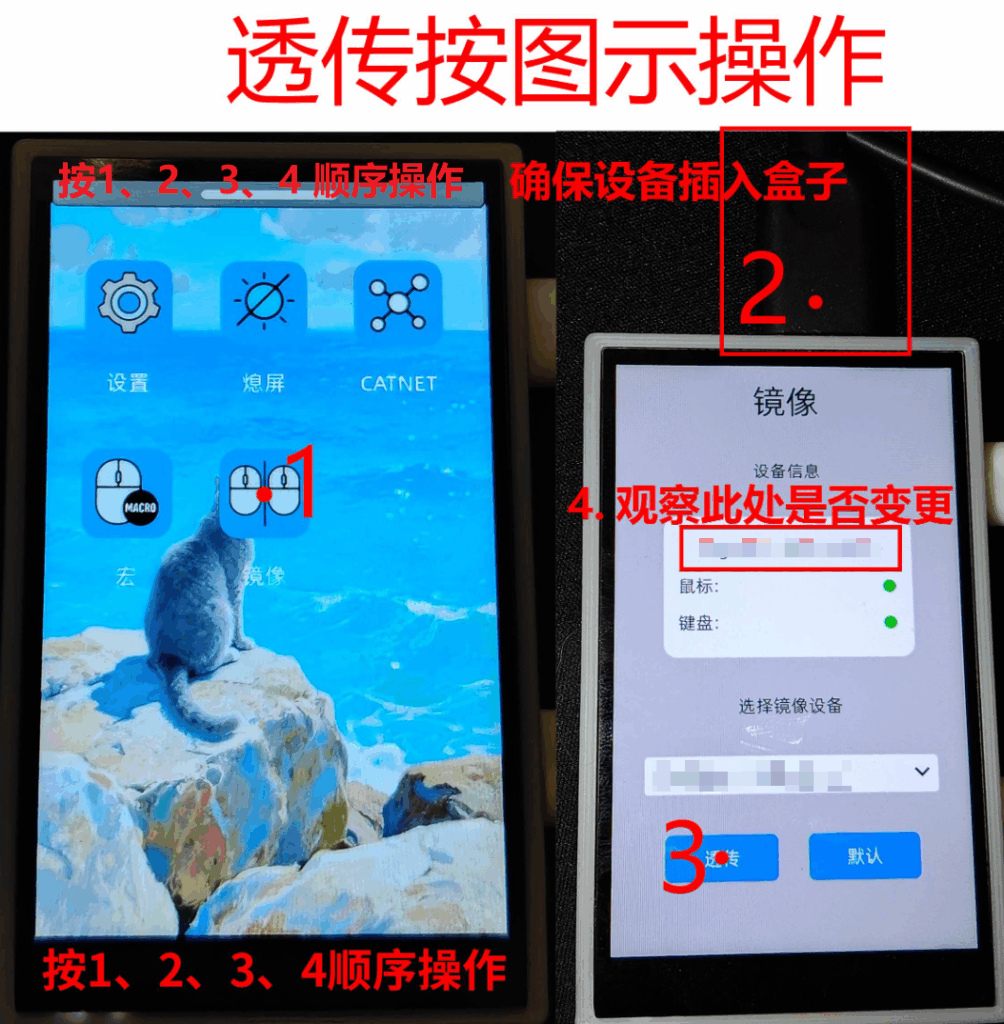
6.收集到的資訊輸入盒子網卡資訊進行偽裝
![[DMA]Catbox盒子安裝教學 10 image 13](https://letcheat.net/wp-content/uploads/2025/11/image-13.png)
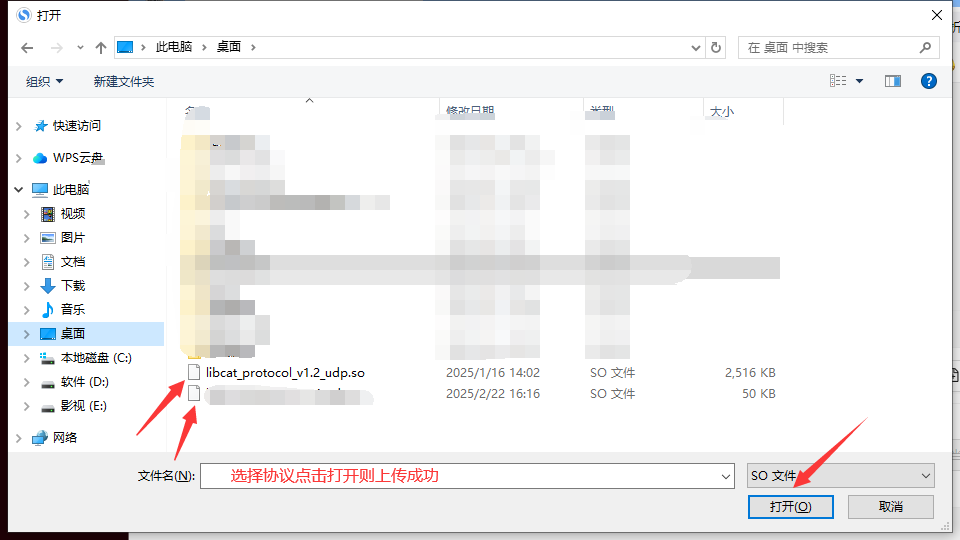
7.上傳協議
![[DMA]Catbox盒子安裝教學 11 image 14](https://letcheat.net/wp-content/uploads/2025/11/image-14.png)
![[DMA]Catbox盒子安裝教學 12 image 15](https://letcheat.net/wp-content/uploads/2025/11/image-15.png)
![[DMA]Catbox盒子安裝教學 13 image 16](https://letcheat.net/wp-content/uploads/2025/11/image-16-1024x450.png)
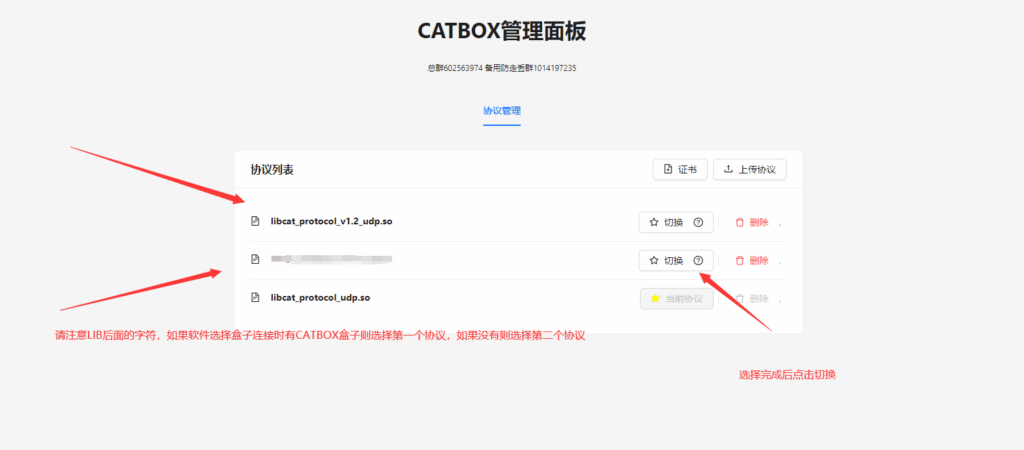
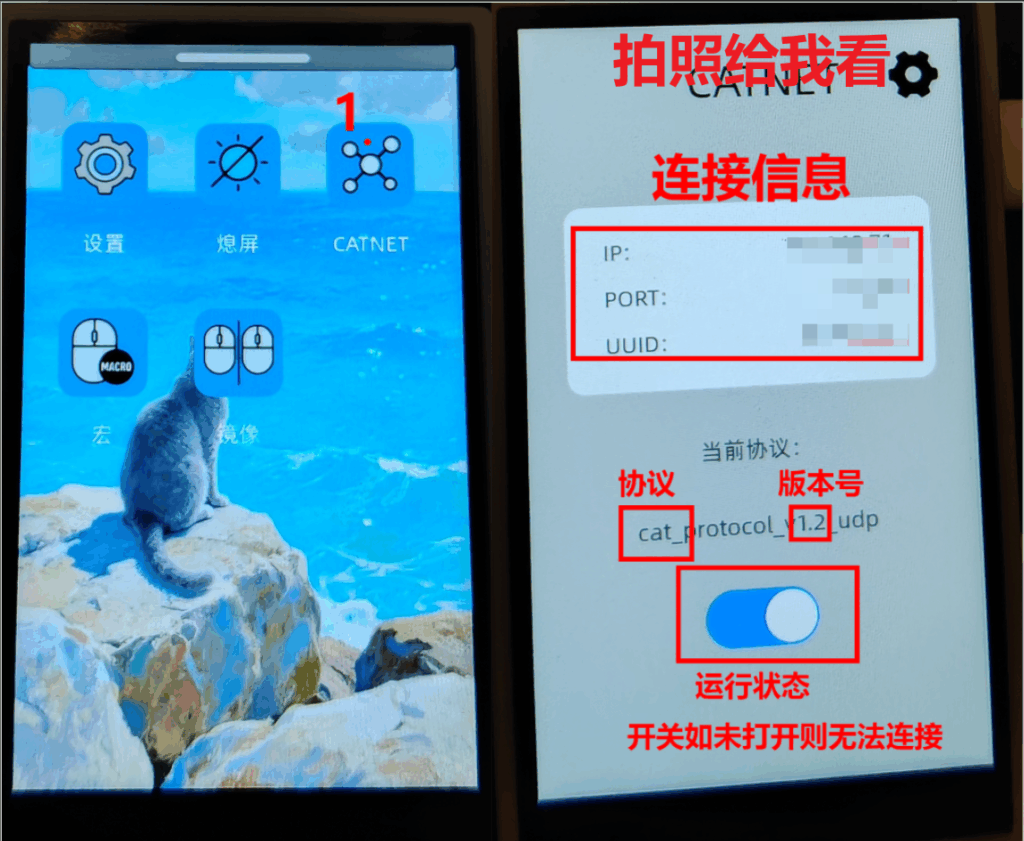
8.注意LIB後面的字元 CAT為CAT盒子原生協定 搭配軟體使用是如果軟體上有CAT BOX盒子選項就選擇這個協定如果沒有請選擇另一個協議
以上完成後做以下步驟
![[DMA]Catbox盒子安裝教學 14 image 23](https://letcheat.net/wp-content/uploads/2025/11/image-23-915x1024.png)
![[DMA]Catbox盒子安裝教學 15 image 20](https://letcheat.net/wp-content/uploads/2025/11/image-20-1024x784.png)
![[DMA]Catbox盒子安裝教學 16 image 24](https://letcheat.net/wp-content/uploads/2025/11/image-24-1004x1024.png)
![[DMA]Catbox盒子安裝教學 17 image 25](https://letcheat.net/wp-content/uploads/2025/11/image-25-1024x841.png)