[DELTA FORCE三角洲行動] KB私人訂製輔助教學
⚠️務必請提前完成以下前置(一次性)⚠️
0 – 1 (關閉防毒)(沒做完整可能導致封禁/開不起來等問題)
0 – 2 (通用前置作業)(沒做完整可能導致封禁/開不起來等問題)
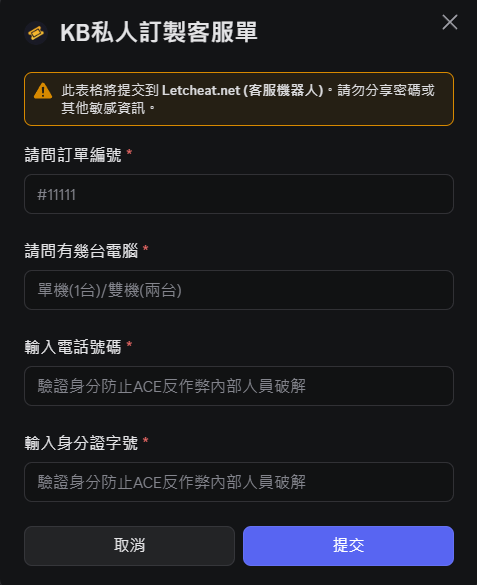
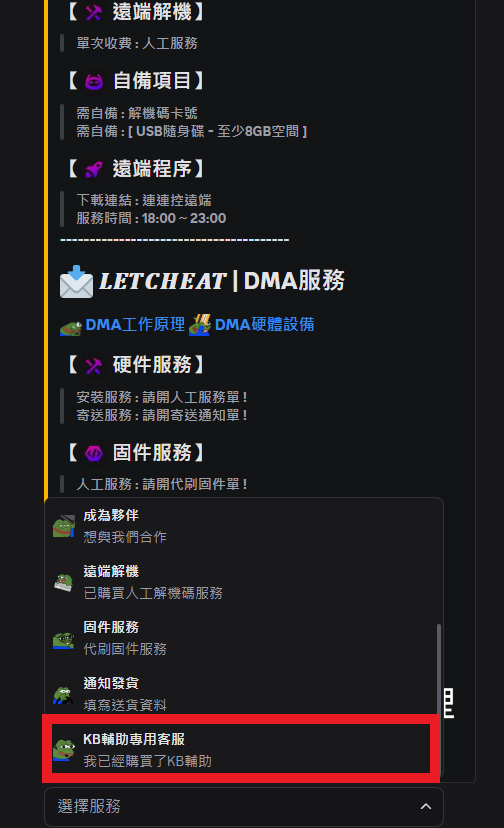
0 – 3 到DISCORD售後群客服頻道開啟”KB專用客服”
![[DELTA FORCE三角洲行動] KB私人訂製輔助教學 1 image 18](https://letcheat.net/wp-content/uploads/2026/04/image-18.png)
![[DELTA FORCE三角洲行動] KB私人訂製輔助教學 2 image 19](https://letcheat.net/wp-content/uploads/2026/04/image-19.png)
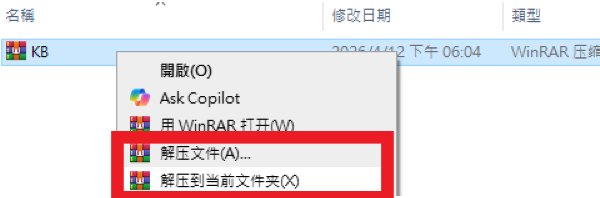
1. 下載訂單內的檔案後解壓縮到資料夾
![[DELTA FORCE三角洲行動] KB私人訂製輔助教學 3 image 11](https://letcheat.net/wp-content/uploads/2026/04/image-11.png)
2. 下載輔助檔案
2-1 註冊帳密後登入(點我前往網站)
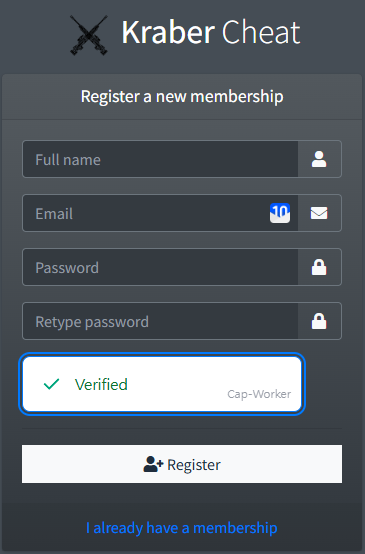
依序輸入 帳號>郵箱>密碼>再次輸入密碼>機器人驗證>註冊完成>於郵箱確認驗證郵件>完成
![[DELTA FORCE三角洲行動] KB私人訂製輔助教學 4 image 12](https://letcheat.net/wp-content/uploads/2026/04/image-12.png)
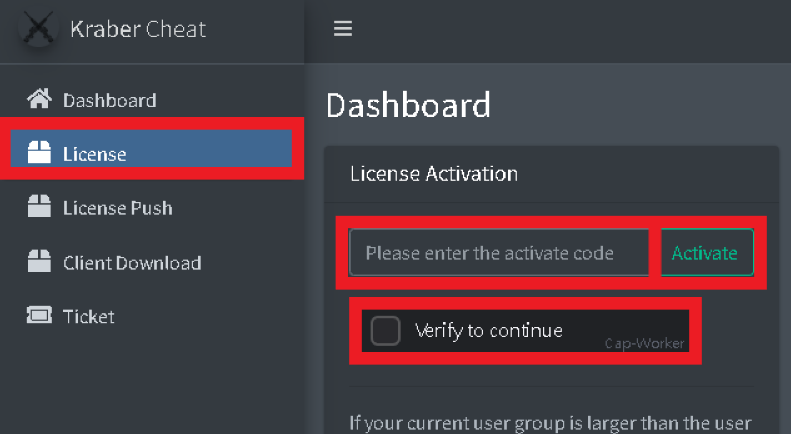
2-2點我到登入網站,登入後點到”LICENSE”頁面輸入密鑰到”License Activation”文字窗後點驗證後再點”Activate”
![[DELTA FORCE三角洲行動] KB私人訂製輔助教學 5 image 14](https://letcheat.net/wp-content/uploads/2026/04/image-14.png)
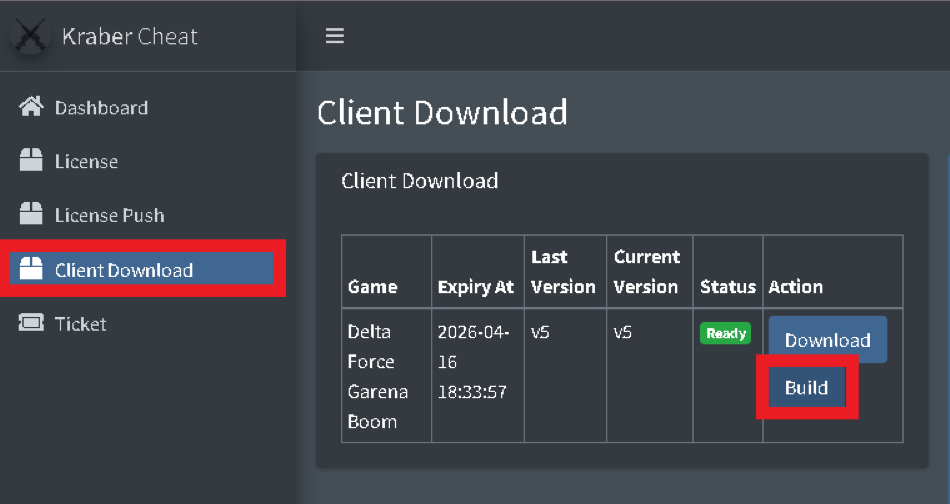
2-3點到”Client Download”頁面後點”Build”開始建置架構,大約等待5分鐘後出現”Download”在旁邊,點”Download”下載輔助檔案。
![[DELTA FORCE三角洲行動] KB私人訂製輔助教學 6 image 15](https://letcheat.net/wp-content/uploads/2026/04/image-15.png)
3.安裝檔案和驅動
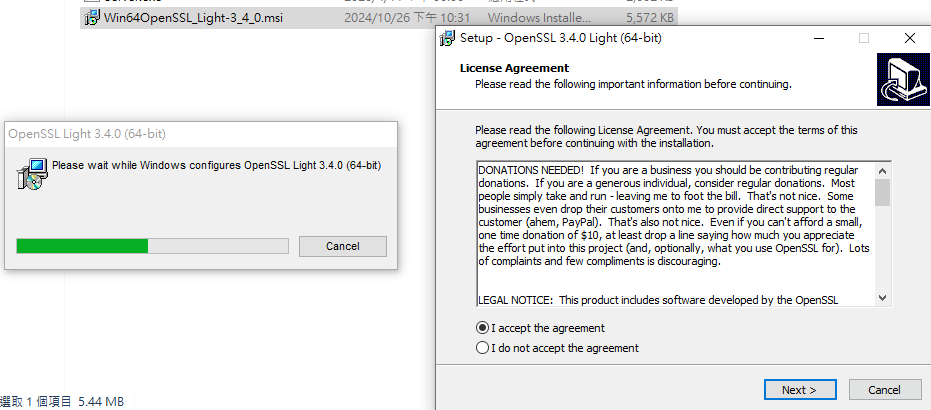
3-1 開啟第一步驟下載的 KB>Win64OpenSSL_Light-3_4_0.msi 一路下一步到安裝完成
![[DELTA FORCE三角洲行動] KB私人訂製輔助教學 7 image 26](https://letcheat.net/wp-content/uploads/2026/04/image-26.png)
4.開啟輔助
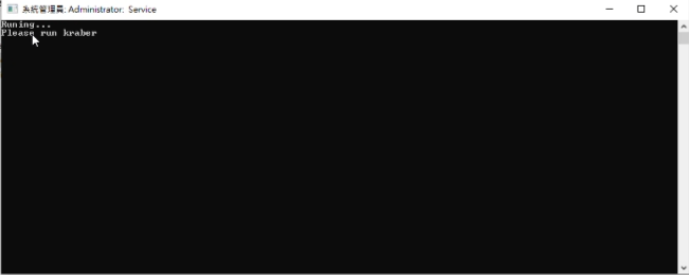
4-1 開啟第一步驟下載的KB>右鍵管理員開啟MONSTER>等待出現Please run krabor
![[DELTA FORCE三角洲行動] KB私人訂製輔助教學 8 image 29](https://letcheat.net/wp-content/uploads/2026/04/image-29.png)
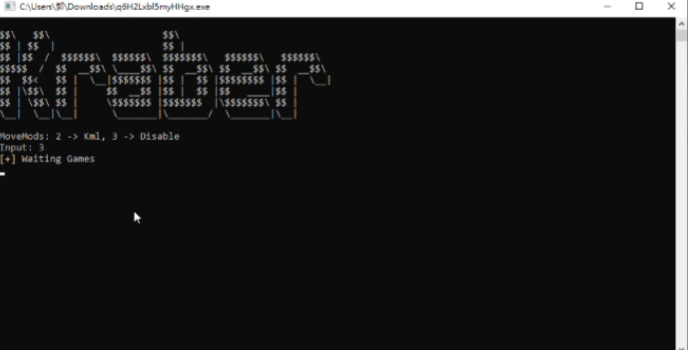
4-2 右鍵管理員開啟剛剛(2-3步驟)下載的輔助檔案後等待>直到出現Movemodes設置>輸入3後Enter>開啟遊戲
![[DELTA FORCE三角洲行動] KB私人訂製輔助教學 9 image 30](https://letcheat.net/wp-content/uploads/2026/04/image-30.png)