[電腦知識]關閉W11最新驅動簽章檢測系統
– W11最新24/25H2專屬步驟 –
1.暫時關閉安全開機(操作完成後可再次啟用)
備註 : 以華碩作為示範,其他品牌請自行Google教學
備註 : 如果要關閉安全啟動,請提前作關閉Pin碼,防止系統碟自鎖(教學點我)
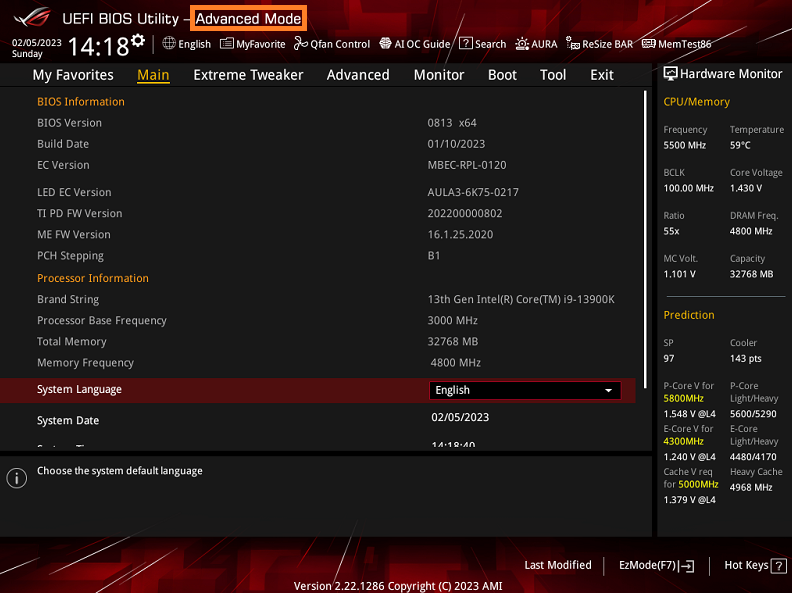
1 – 1 電腦開機後,立刻按壓鍵盤上的“delete”鍵,進入BIOS [Advanced Mode]
![[電腦知識]關閉W11最新驅動簽章檢測系統 1 image 17](https://letcheat.net/wp-content/uploads/2026/06/image-17.png)
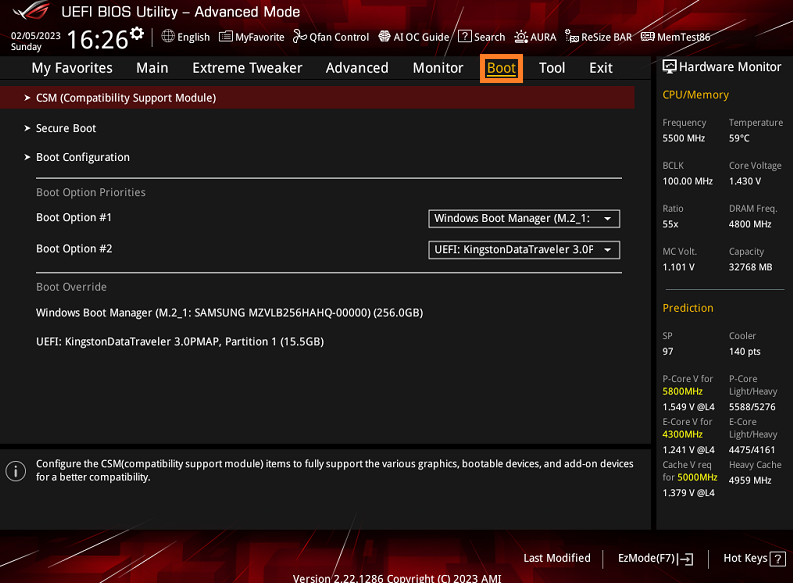
1 – 2 點選[Boot]頁面
![[電腦知識]關閉W11最新驅動簽章檢測系統 2 image 18](https://letcheat.net/wp-content/uploads/2026/06/image-18.png)
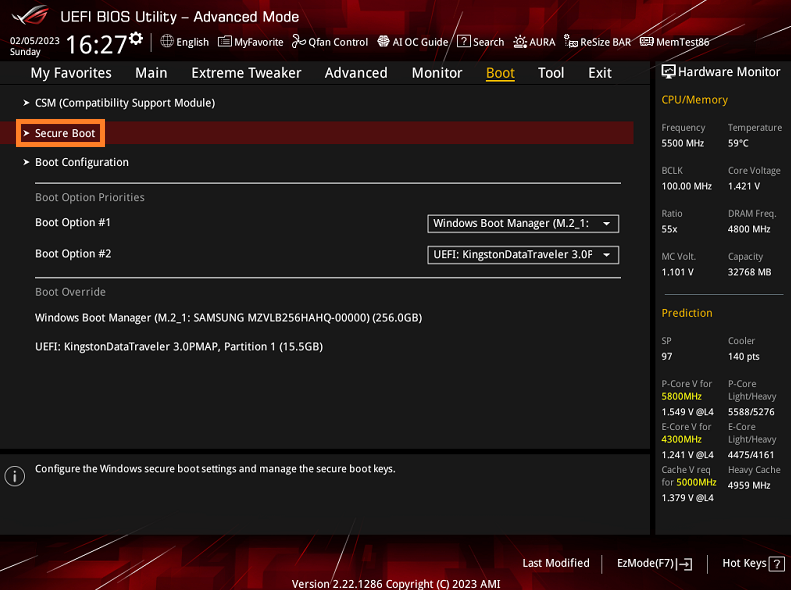
1 – 3 點選[Secure Boot]選項
![[電腦知識]關閉W11最新驅動簽章檢測系統 3 image 19](https://letcheat.net/wp-content/uploads/2026/06/image-19.png)
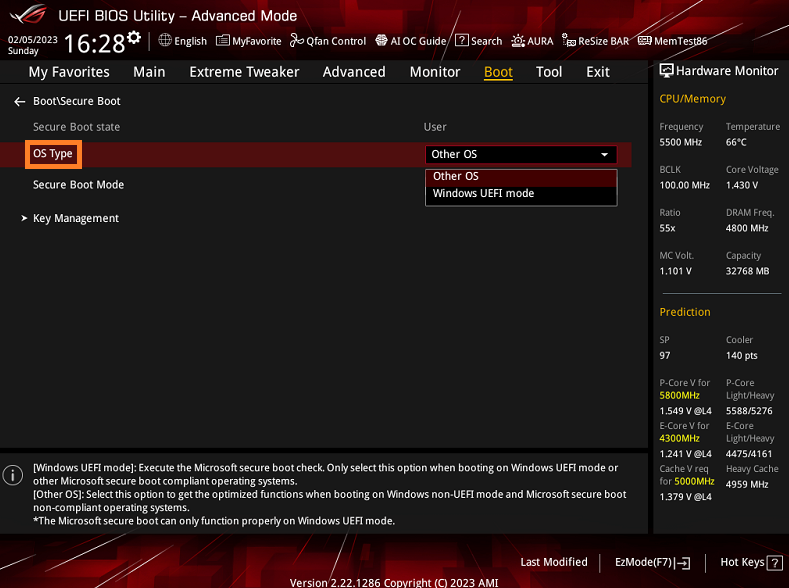
1 – 4 OS Type選項設置為Other OS
備註 : Other OS在ASUS主板代表是關閉安全啟動
![[電腦知識]關閉W11最新驅動簽章檢測系統 4 image 20](https://letcheat.net/wp-content/uploads/2026/06/image-20.png)
1 – 5 點f10儲存後回去系統
2 – 刪除簽章檔案 (分為方法1/2 擇一做)
<方法1> 下載刪除簽章工具使用(點我下載)
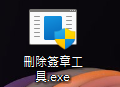
2 – 1 右鍵”以系統管理員身分執行”開啟它
![[電腦知識]關閉W11最新驅動簽章檢測系統 5 image 124](https://letcheat.net/wp-content/uploads/2026/06/image-124.png)
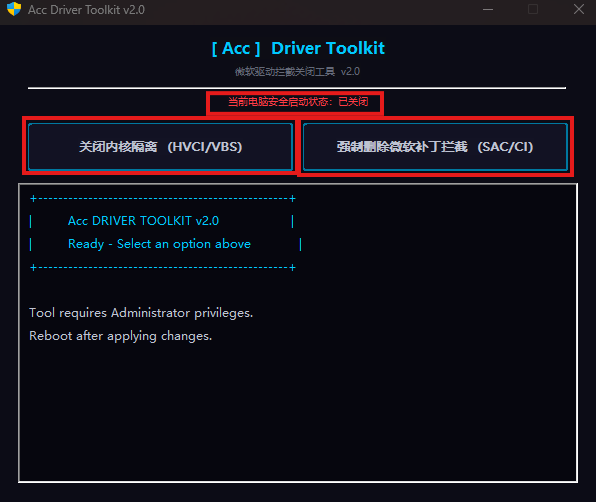
2 – 2 確保上方狀態安全啟動是”已關閉”,點下方的兩個關閉和刪除選項。
![[電腦知識]關閉W11最新驅動簽章檢測系統 6 image 123](https://letcheat.net/wp-content/uploads/2026/06/image-123.png)
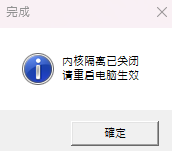
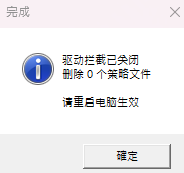
2 – 3 兩個都成功就重開機後就完成了!,後續若有需求可開回安全啟動。
![[電腦知識]關閉W11最新驅動簽章檢測系統 7 image 127](https://letcheat.net/wp-content/uploads/2026/06/image-127.png)
![[電腦知識]關閉W11最新驅動簽章檢測系統 8 image 126](https://letcheat.net/wp-content/uploads/2026/06/image-126.png)
<方法2> 下載刪除簽章工具使用(點我下載)
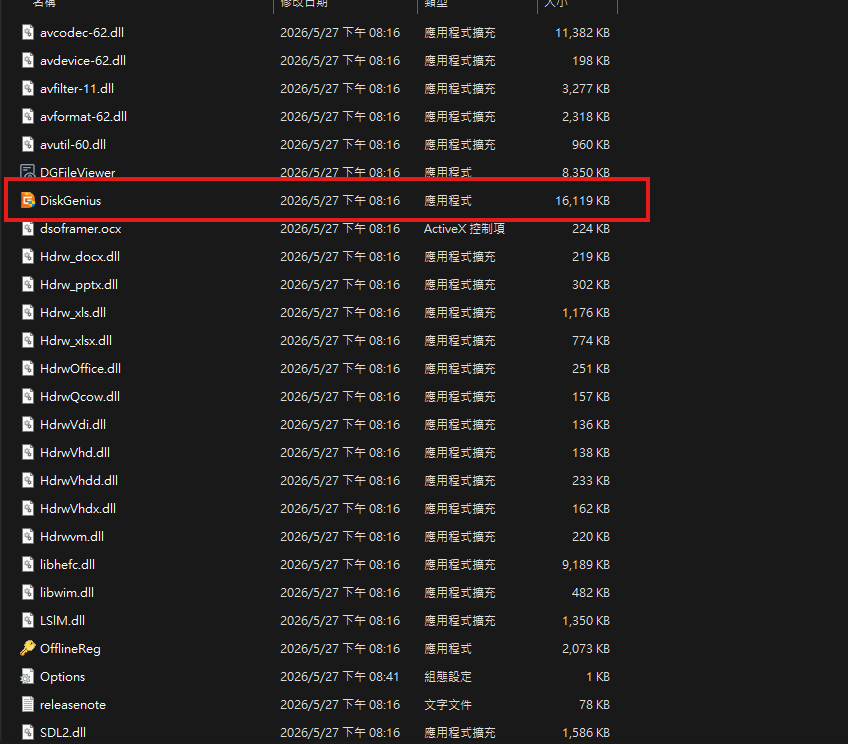
2 – 1 解壓縮並開啟Disk Genius
![[電腦知識]關閉W11最新驅動簽章檢測系統 9 image 21](https://letcheat.net/wp-content/uploads/2026/06/image-21.png)
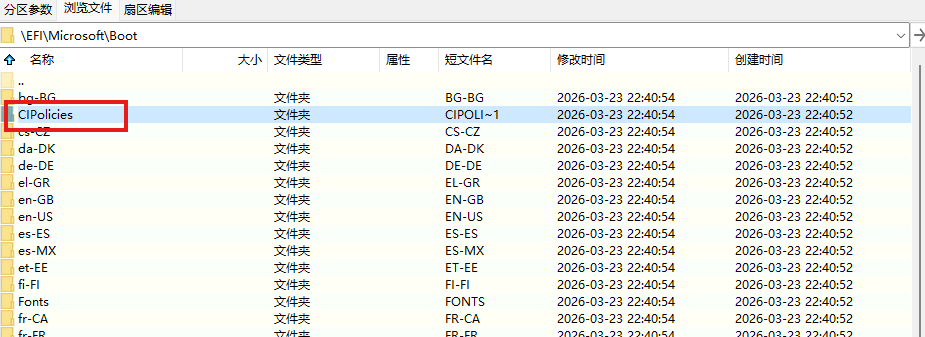
2 – 2 點選 EFI > Microsoft > Boot > CIPolicies > Active

![[電腦知識]關閉W11最新驅動簽章檢測系統 10 image 22](https://letcheat.net/wp-content/uploads/2026/06/image-22.png)
![[電腦知識]關閉W11最新驅動簽章檢測系統 11 image 23](https://letcheat.net/wp-content/uploads/2026/06/image-23.png)
![[電腦知識]關閉W11最新驅動簽章檢測系統 12 image 24](https://letcheat.net/wp-content/uploads/2026/06/image-24.png)
![[電腦知識]關閉W11最新驅動簽章檢測系統 13 image 25](https://letcheat.net/wp-content/uploads/2026/06/image-25.png)
![[電腦知識]關閉W11最新驅動簽章檢測系統 14 image 26](https://letcheat.net/wp-content/uploads/2026/06/image-26.png)
![[電腦知識]關閉W11最新驅動簽章檢測系統 15 image 27](https://letcheat.net/wp-content/uploads/2026/06/image-27.png)
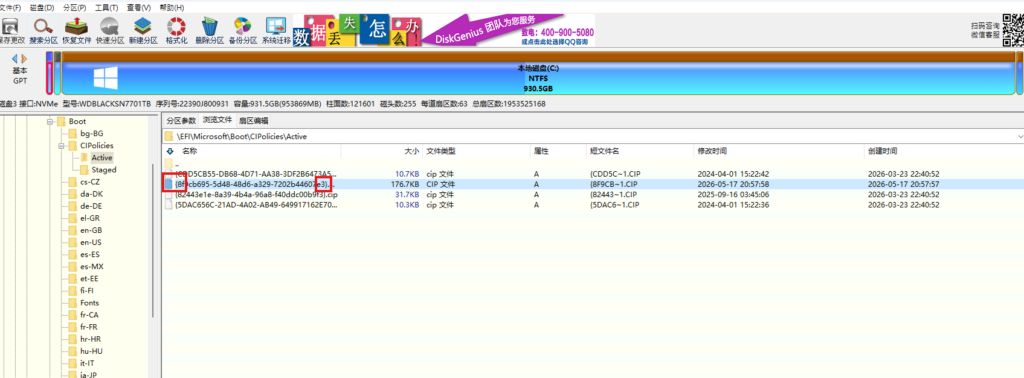
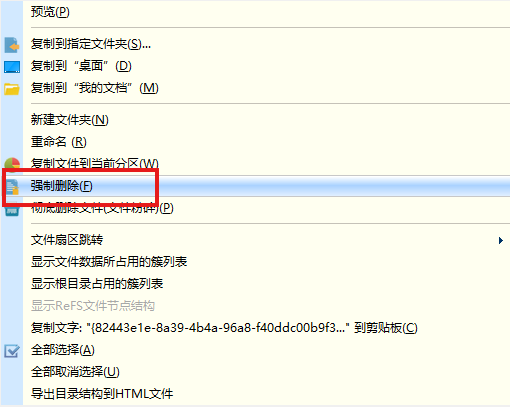
2 – 3將開頭有8f尾數e3的檔案對它右鍵強制刪除
![[電腦知識]關閉W11最新驅動簽章檢測系統 16 image 28](https://letcheat.net/wp-content/uploads/2026/06/image-28-1024x378.png)
![[電腦知識]關閉W11最新驅動簽章檢測系統 17 image 29](https://letcheat.net/wp-content/uploads/2026/06/image-29.png)